
Seedance 2.5 AI Video Generator
Seedance 2.5 AI helps creators turn text, image, or video references into cinematic clips with stable motion and clear camera direction.
Seedance 2.5 AI Video Generator
AI Video Gallery
These showcase labels reflect the kinds of cinematic, product, portrait, and atmosphere clips creators explore
Seedance 2.5 AI - flower field motion test
A calm outdoor shot used to judge how the model handles wind, depth, layered detail, and continuous camera drift.
Seedance 2.5 AI - fashion portrait animation
A portrait-driven clip for checking face detail, wardrobe stability, and soft cinematic motion across short sequences.
Seedance 2.5 AI - ocean light continuity demo
A nature scene that helps creators compare how water, light, and camera pacing stay coherent from frame to frame.
Seedance 2.5 AI - road trip cinematic sequence
A movement-heavy scene for judging pacing, travel energy, and frame-to-frame consistency in longer camera moves.
Seedance 2.5 AI - runway style loop
A short editorial loop that shows how pose, styling, and scene mood can stay aligned across repeated frames.
Seedance 2.5 AI - dramatic atmosphere study
A dramatic scene for judging how the model handles depth, timing, contrast, and visual tension in cinematic prompts.
What Is Seedance 2.5 AI
Seedance 2.5 AI is a browser-based video generation workspace built on the Seedance 2.5 model — capable of generating up to 30-second clips at native 4K with up to 50 multi-modal reference inputs per generation.

Seedance 2.5 AI prompt to video workflow
Seedance 2.5 AI turns scene prompts and visual references into directed clips up to 30 seconds long, with readable action, camera intent, and stable motion throughout.

Seedance 2.5 AI multi-modal reference inputs
Seedance 2.5 AI accepts up to 50 reference inputs per generation — images, video clips, and 3D white models — so composition, subject identity, and motion intent all carry through.

Seedance 2.5 AI native 4K and consistency
Seedance 2.5 AI outputs at native 4K resolution and keeps characters, lighting, and scene tone consistent across shots — useful for multi-clip sequences and campaign work.
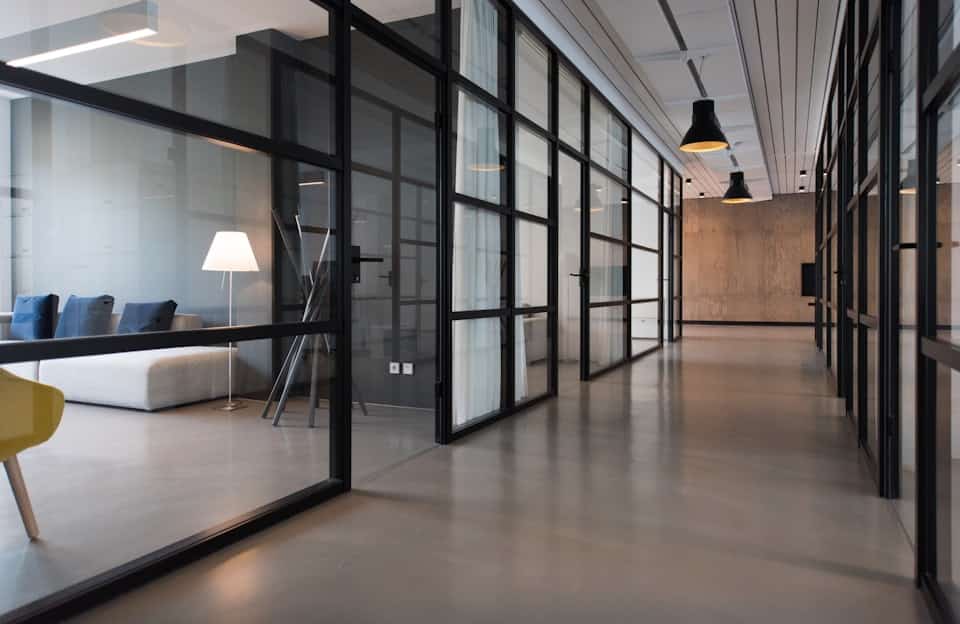
Seedance 2.5 AI output for real projects
Seedance 2.5 AI focuses on browser creation, credit control, preview review, and downloads for social, ecommerce, and campaign work.
Seedance 2.5 AI Features
Seedance 2.5 AI brings native 4K output, 30-second single-shot generation, and up to 50 multi-modal references into a focused workflow for cinematic prompts and fast iteration.
30-second single-shot generation
Seedance 2.5 AI generates clips up to 30 seconds in a single pass — long enough for a complete scene, short ad, or product demo without stitching.
Native 4K resolution output
Seedance 2.5 AI outputs at native 4K, giving campaigns, editorial projects, and product videos the resolution headroom they need for large-format delivery.
Up to 50 multi-modal reference inputs
Seedance 2.5 AI accepts up to 50 references per generation — images, video clips, and 3D white models — so subject identity and scene structure carry through accurately.
3D white model support
Seedance 2.5 AI can take 3D wireframe models as reference inputs for precise control over character pose, object placement, and camera angle.
Stronger cross-shot consistency
The Seedance 2.5 model keeps characters, lighting, and scene tone more stable across related shots — useful for multi-clip sequences and branded campaign work.
Seedance 2.5 AI review workflow
Seedance 2.5 AI helps teams compare prompt versions, adjust references, manage credits, and download clips for feedback cycles.
How to Use the Video Generator
The process stays simple: write a prompt, choose video parameters, generate, preview, and download.
Enter your prompt
Describe the video you want in text, and optionally upload an image or video reference for composition, subject, or motion.
Choose parameters
Set video duration, aspect ratio, and output quality before you generate.
Generate and download
Click generate, wait a short moment, then download the finished video when the result is ready.
Seedance 2.5 AI Reviews
These one-line reviews show how creators use Seedance 2.5 AI for reference tests, motion studies, client previews, and videos.

Jordan Vance
“The workflow helped our team turn a product moodboard into a polished video teaser in one review cycle. We could compare two camera directions, share the stronger draft with the client, and avoid a long edit pass.”

Linda Wu
“The image-to-video reference stayed close enough for a client demo without heavy editing afterward. It preserved the product shape, kept the background clean, and gave our marketing team a usable preview quickly.”

Chen Wei
“My fantasy scene gained smoother camera motion than my earlier prompt tests. The result made it easier to judge pacing, lighting, and character movement before I committed more time to the final concept art.”

Sarah Jenkins
“Short ad variations became easier because the same product photo could anchor every test. I used one still image to explore different hooks, then picked the version that felt strongest for paid social.”

David Park
“Our scene pitches gained a stronger sense of movement before final animation work. The drafts gave directors a clearer feel for timing, shot scale, and where a transition should land.”

Emma Zhang
“Static catalog shots became quick product motion studies for landing pages.”
Seedance 2.5 AI Pricing
Seedance 2.5 AI Pricing
Compare Seedance 2.5 AI monthly plans, yearly savings, and pay-as-you-go credits for video and image creation.
Starter
What's included
- 14,400 Credits / year
- 1,200 Credits / month
- Text-to-video and image-to-video
- Reference image workflow
- HD export options
- No watermark
- Commercial use license
- Customer support
Plus
What's included
- 24,000 Credits / year
- 2,000 Credits / month
- Text-to-video and image-to-video
- Reference image workflow
- HD export options
- Priority queue
- No watermark
- Commercial use license
- Priority customer support
Enterprise
What's included
- 67,200 Credits / year
- 5,600 Credits / month
- Text-to-video and image-to-video
- Reference image workflow
- HD export options
- Priority queue
- Fastest generation speed
- No watermark
- Commercial use license
- Expert team support
Seedance 2.5 AI FAQ
These answers explain Seedance 2.5 AI access, Seedance 2.5 workflows, credits, references, downloads, and responsible usage.
What is Seedance 2.5 AI?
Seedance 2.5 AI is a platform for using Seedance 2.5 video generation with text prompts, visual references, credits, and downloads.
What can I create with Seedance 2.5 AI?
You can create product teasers, social ads, storyboards, cinematic scenes, ecommerce clips, concept videos, and previews.
Does it support image-to-video?
Yes, reference-based video creation lets an image guide subject identity, composition, color, and motion.
What is the Seedance 2.5 model best at?
The Seedance 2.5 model is useful for prompt following, smooth movement, cinematic framing, reference consistency, and multi-shot planning.
How do credits work?
Credits are consumed according to model settings, duration, quality, and generation type, with monthly, yearly, and pay-as-you-go options.
What does the compact spelling mean?
Seedance2.5 is a compact spelling for Seedance 2.5, while the spaced version is usually clearer for readers.
When does a failed generation still consume credits?
If a model output is completed and then blocked by moderation, credits may not be returned, while failures before output are refunded.
Try Seedance 2.5 AI Free
Test prompts, compare reference-led video ideas, and download creative drafts in minutes.